Use category suggestions
Who it’s for: Owners, admins and bookkeepers Where: The Suggest accounts button on Enter bill, Record expense and a receipt’s Record the expense form Before you start: Choose the payee (vendor), or type a description on each line you want a suggestion for. Leave the Account empty on those lines.
Suggestions come from your categorization rules first, then — if it’s on for your company — from AI. A suggestion only fills in or offers an account; you still check the document and save it.
-
Fill in the payee and the lines — description and amount — and leave Account empty where you want help.
-
Click Suggest accounts. The line next to the button says what happened, for example 1 suggestion, 1 filled in.
-
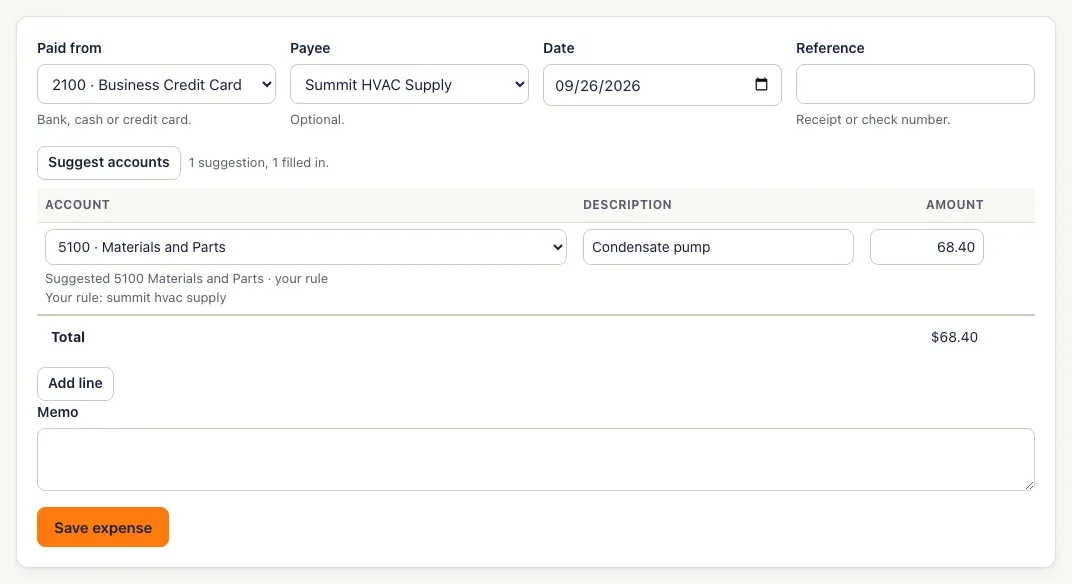
A suggestion from one of your rules fills the account in, marked your rule:
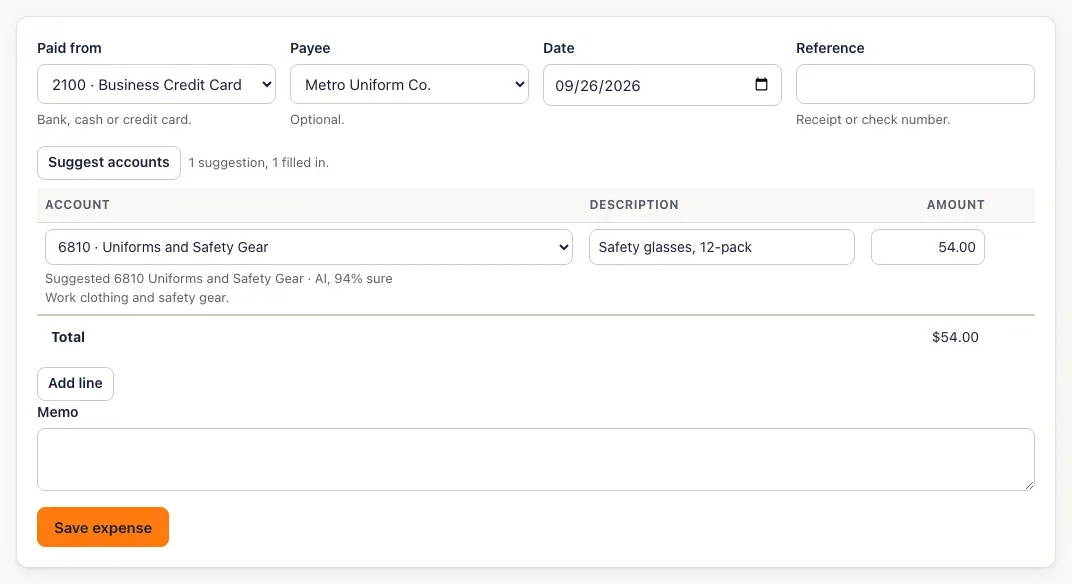
An AI suggestion it’s sure about (90% or more) fills the account in too, with how sure it is and a one-line reason:
-
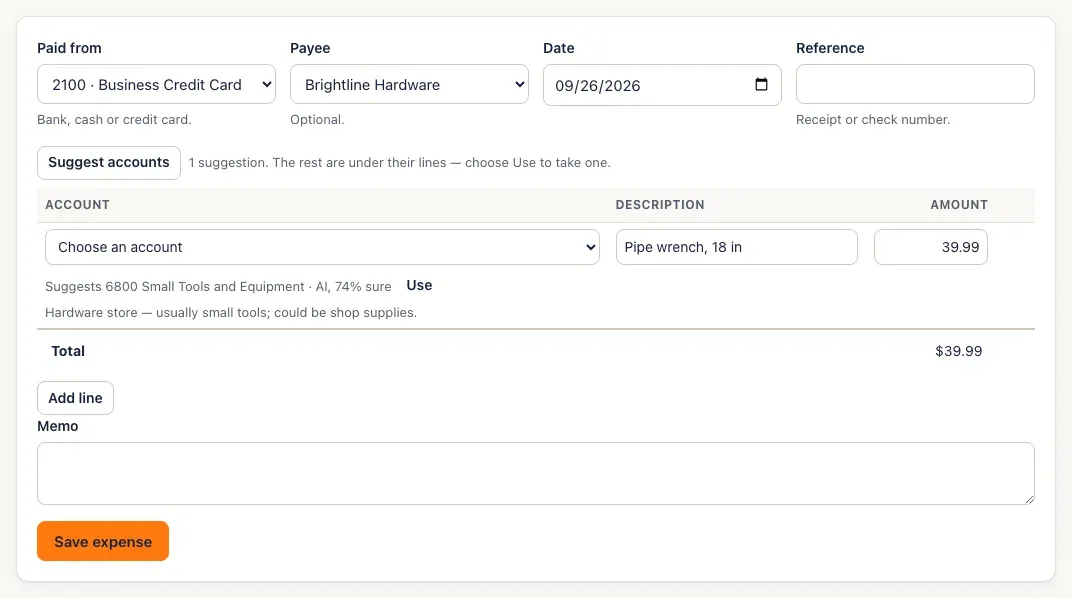
When the AI is less sure, nothing is filled in. A hint under the account says what it suggests — click Use to take it, or choose a different account yourself.
-
Save the bill or expense as usual. SturdyBooks notes what you kept. When the same vendor has gone to the same account three times on someone’s choice, a banner at the top offers to make it a rule — click Make it a rule, or Not now.

You’ll know it worked when…
Section titled “You’ll know it worked when…”The lines have accounts, marked Suggested … · your rule or · AI, (n)% sure. After Make it a rule, the vendor is listed on Rules as made by Accepted offer.
Notes & limits
Section titled “Notes & limits”- Only lines with no account are sent, and a suggestion never replaces an account you’ve picked — even one you picked while the suggestion was on its way.
- Changing the payee clears the suggestions on screen; click Suggest accounts again.
- Messages you may see next to the button:
- AI suggestions aren’t on for this company — these come from your rules. (Shown when AI is off and some lines had no rule to answer them.)
- This month’s AI budget is used up — suggestions come from your rules until next month.
- The AI service is busy — suggestions come from your rules. Try again in a minute.
- No suggestions — no rule matched.
- Every line already has an account.
- Choose a payee or describe a line first.
- Suggestions can only use expense, cost-of-goods-sold and asset accounts (equipment, vehicles, inventory, prepaid expenses and the like).
- The rule offer counts only accounts a person chose or took with Use — an account filled in automatically and left alone doesn’t count.
- Suggestions are for bill and expense lines (including expenses recorded from receipts). Invoices don’t use them.