Make a categorization rule
Who it’s for: Owners, admins and bookkeepers (viewers can see the rules) Where: Rules (second row of the top bar) Before you start: Nothing.
A rule says “when the payee is (or contains) this name, use that account”. Rules answer Suggest accounts before any AI does — instantly, and whether or not AI suggestions are on for your company.
-
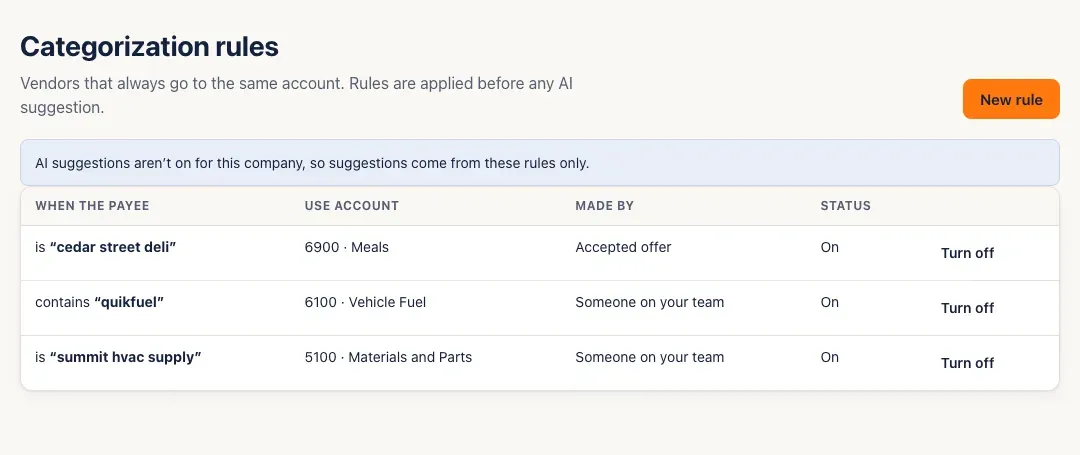
Open Rules. Each rule shows When the payee (is or contains a name), Use account, Made by (Someone on your team, or Accepted offer when it came from a “make it a rule” offer) and Status (On or Off).
-
Click New rule. Choose is exactly or contains, type the Payee name, and choose the account under Use account.
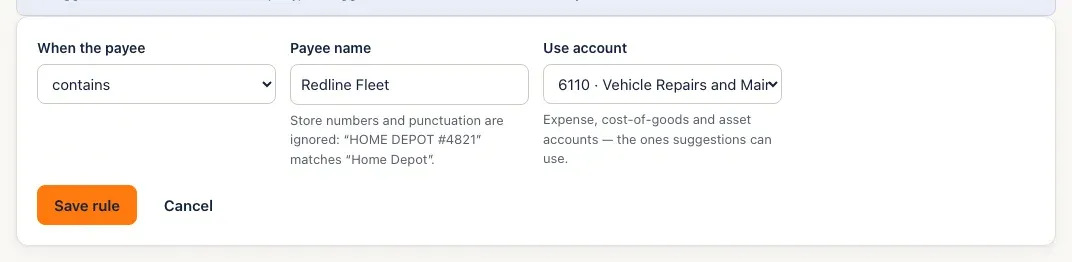
Store numbers and punctuation are ignored: HOME DEPOT #4821 matches Home Depot.
-
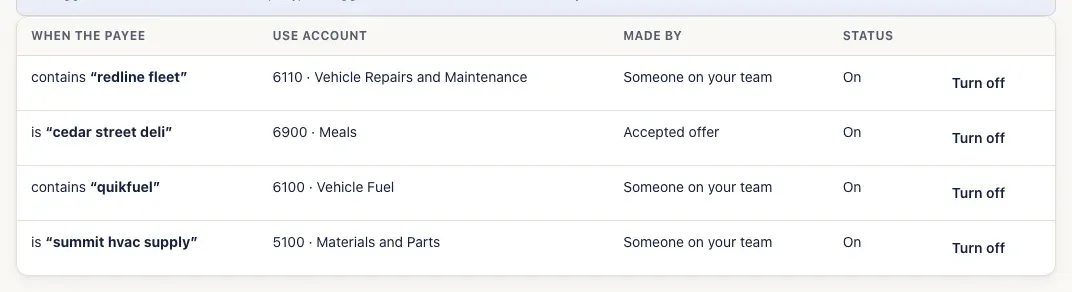
Click Save rule. It’s on straight away.
-
To stop using a rule, click Turn off on its row; Turn on brings it back.
You’ll know it worked when…
Section titled “You’ll know it worked when…”The rule is listed as On. The next time someone clicks Suggest accounts on a line for that payee, the account fills in, marked your rule.
Notes & limits
Section titled “Notes & limits”- Rules are saved in lower case, without store numbers or punctuation — that’s why the list shows redline fleet.
- An is exactly rule beats a contains rule, and a longer name beats a shorter one.
- There can be only one rule turned on of each kind for the same name — SturdyBooks says A live rule with this pattern already exists.
- The payee name needs at least two letters.
- A rule can only use the accounts suggestions can: expense, cost-of-goods-sold and asset accounts.
- If a rule’s account is archived, the rule shows Account archived — this rule never fires. Point it somewhere else by turning it off and making a new rule.
- Rules are never deleted, only turned off. A rule only fills accounts when someone clicks Suggest accounts — it never changes anything already saved.
- An account that a rule (turned on) points to can’t be deleted — turn the rule off first.