Trial balance
Who it’s for: Everyone — every role can read reports (it’s the one your accountant will want) Where: Reports → Trial balance Before you start: Nothing.
-
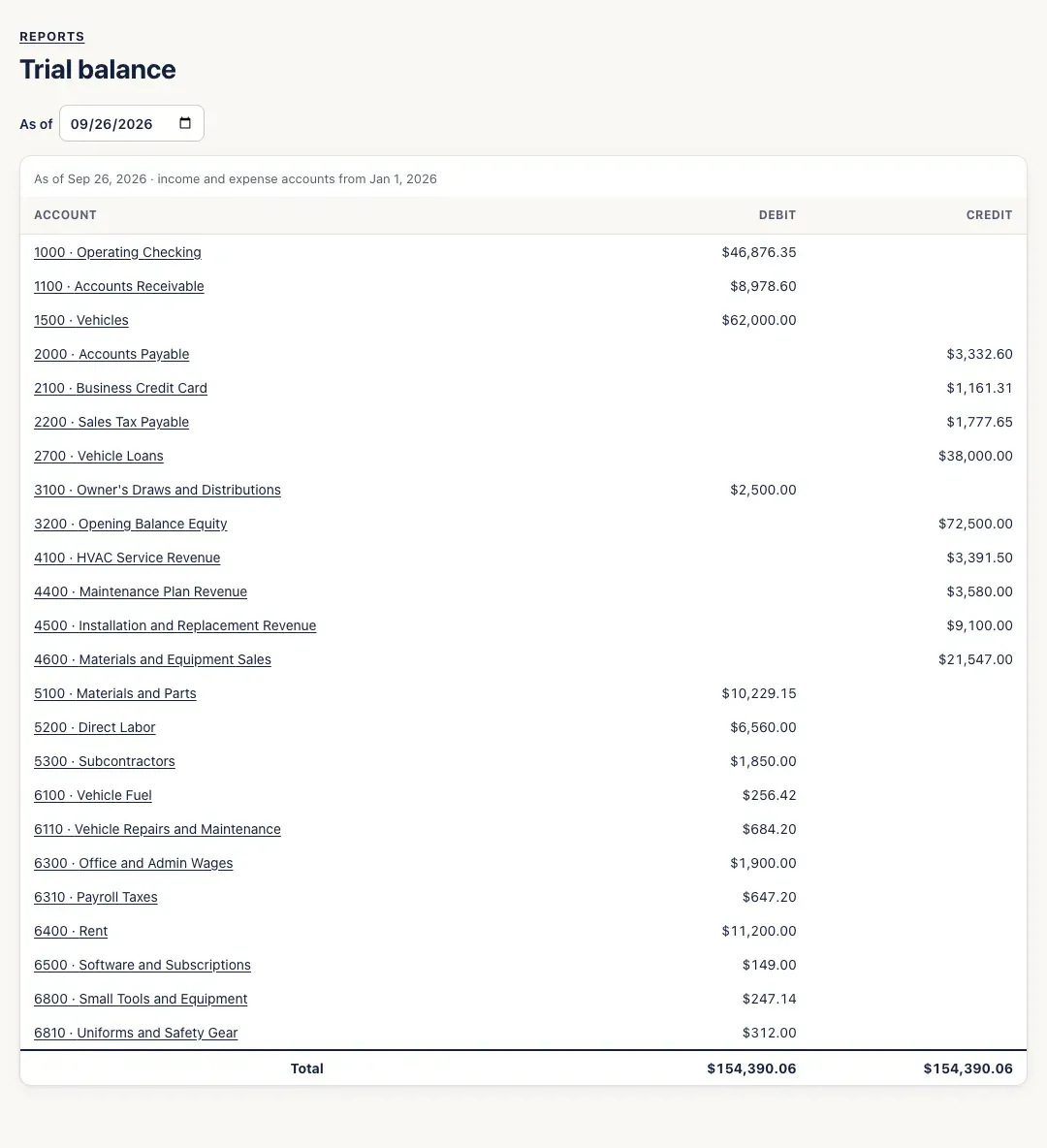
Open Reports → Trial balance. It opens as of today. The line at the top says the date and when the income and expense figures start — the first day of your fiscal year.
-
Change As of to see another date — for example, the last day of a month you’re closing, or of last year.
-
Click any account to open its register.
You’ll know it worked when…
Section titled “You’ll know it worked when…”The Total row’s debit and credit columns are the same amount.
Notes & limits
Section titled “Notes & limits”- Balance-sheet accounts show their balance since the beginning. Income and expense accounts show only the current fiscal year; earlier years’ profit is part of Retained Earnings.
- Accounts with a zero balance aren’t listed.