Chart of accounts (add, archive, delete)
Who it’s for: Owners, admins and bookkeepers (viewers can look but not change) Where: Chart of accounts (second row of the top bar) Before you start: Nothing. Your company starts with a chart built for trades contractors.
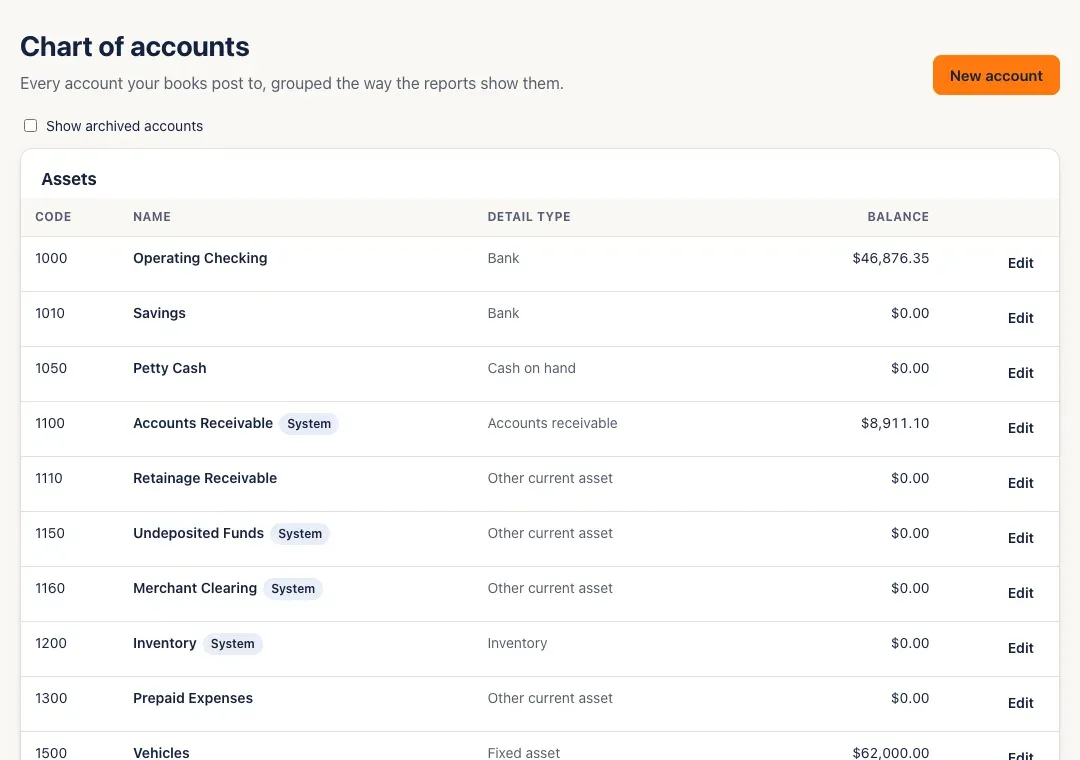
The chart of accounts is every account your books post to, grouped the way the reports show them: Assets, Liabilities, Equity, Revenue, Cost of goods sold and Expenses.
-
Open Chart of accounts. Each account shows its code, name, detail type and balance today. Click a balance to open that account’s register.
-
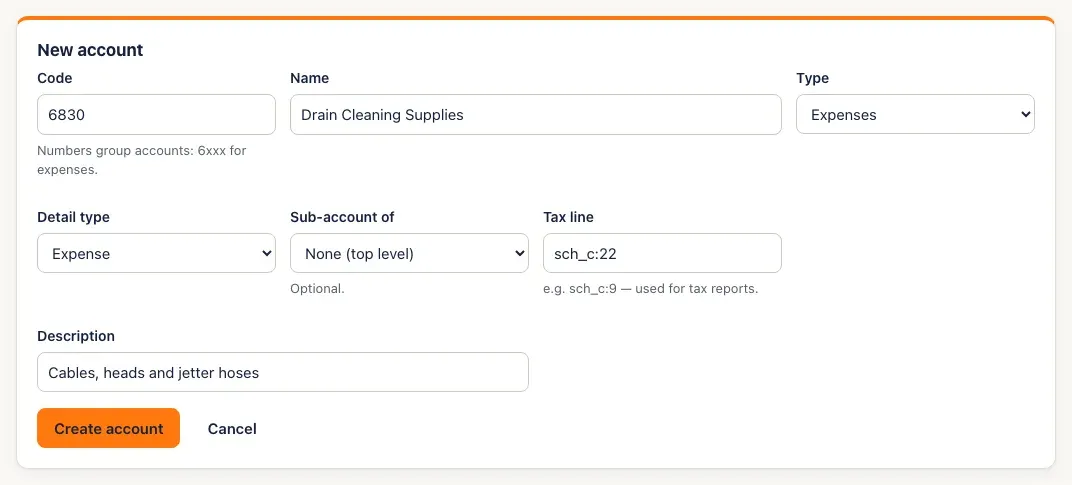
To add an account, click New account and fill in:
- Code — numbers group accounts, for example 6xxx for expenses.
- Name, Type and Detail type.
- Sub-account of (optional) — to nest it under another account of the same type.
- Tax line (optional, for example sch_c:9) and Description.
Then click Create account.
-
To change an account, click Edit on its row, make your changes and click Save changes.
-
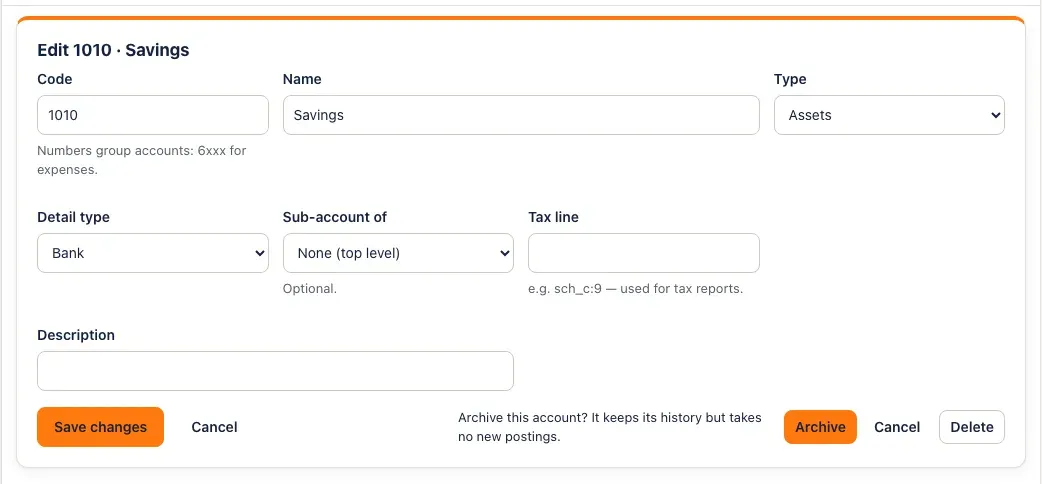
To archive an account you no longer use, click Edit, then Archive, and confirm — Archive this account? It keeps its history but takes no new postings. Tick Show archived accounts to see archived accounts; Restore on an archived account brings it back.
-
To delete an account nothing has ever used, click Edit, then Delete, and confirm. (Delete only shows when the account’s balance is zero.)
You’ll know it worked when…
Section titled “You’ll know it worked when…”The new account is listed in its group, in code order, and appears in the account pickers. An archived account disappears from the list and the pickers (tick Show archived accounts to see it, marked Archived).
Notes & limits
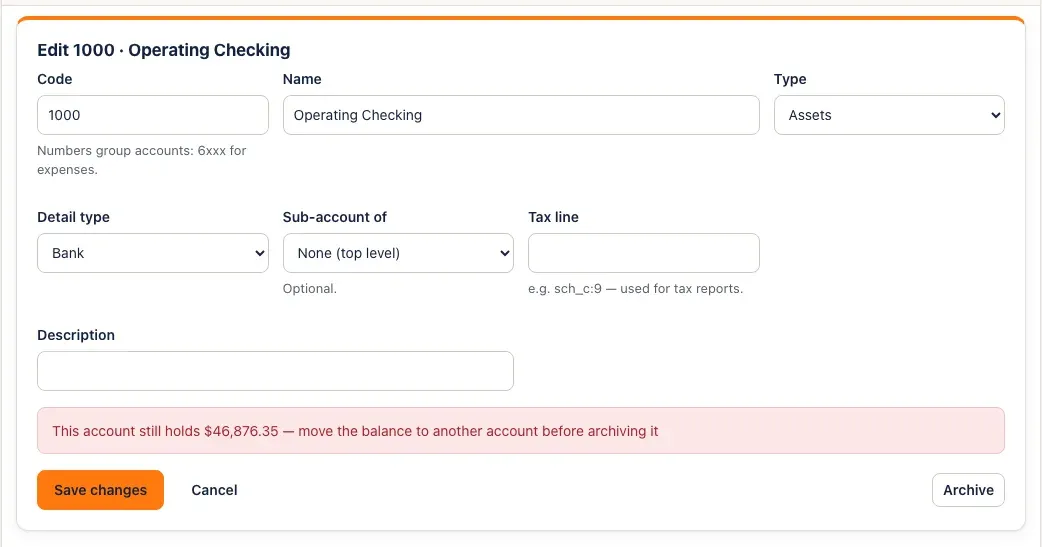
Section titled “Notes & limits”- A balance-sheet account that still holds money can’t be archived. Bank, cash, loan and other asset, liability and equity accounts with a balance are refused — This account still holds $… — move the balance to another account before archiving it. Move the balance with a journal entry first. Income and expense accounts can be archived at any time; their totals are history.
- Accounts marked System are the ones invoices, bills and payments post to. You can rename them, but not archive, delete or change their type.
- Once anything has posted to an account, its Type and Detail type are fixed. To reclassify, make a new account and move the balance with a journal entry.
- An account’s Tax line can’t change while it has postings in a closed month.
- An account something has used can’t be deleted — This account is in use — archive it instead. An account a rule (turned on) points to can’t be deleted either.
- Codes must be unique — Another account already uses code …