Post a journal entry
Who it’s for: Owners, admins and bookkeepers; adjusting entries are for owners and admins Where: Journal (second row of the top bar) Before you start: Know which accounts to debit and credit. Most of the time you don’t need a journal entry — invoices, bills, payments and expenses post their own.
The journal is every posting in your books, in the order it was made. Use a manual entry for things no document covers — payroll from your payroll service, an owner’s draw, moving money from Undeposited Funds to the bank, starting balances.
-
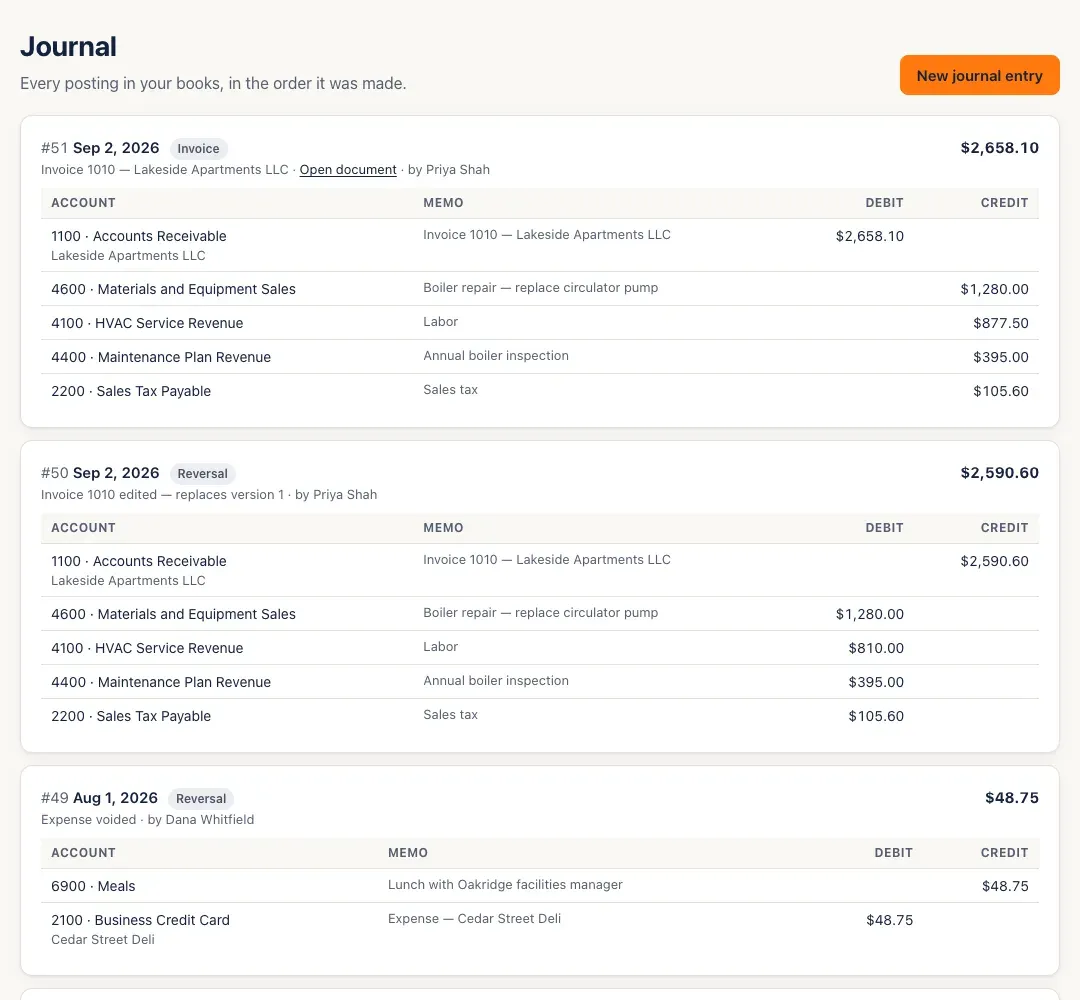
Open Journal. Entries are listed newest first, each with its lines. A label says where it came from — Journal entry, Invoice, Payment, Bill, Bill payment, Expense or Reversal — and Open document opens the invoice, bill or expense behind it. Show older entries at the bottom loads more.
-
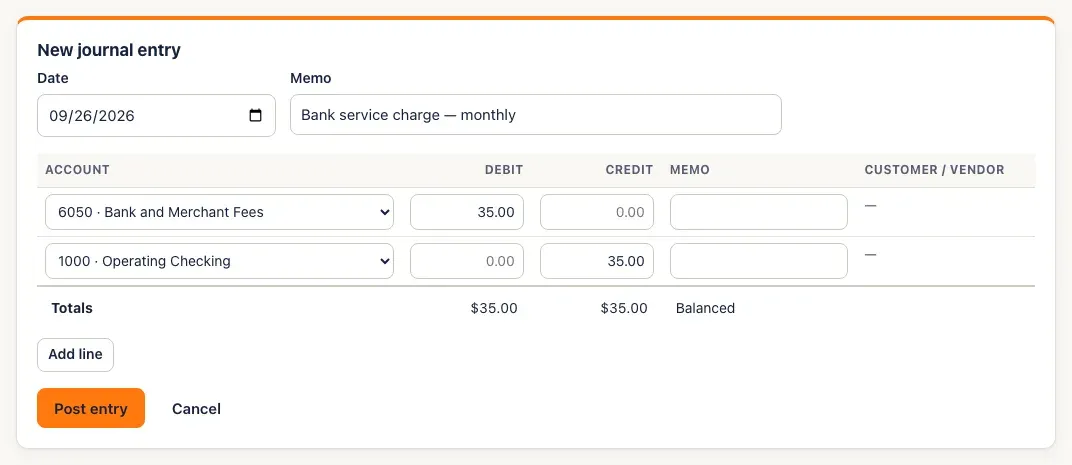
Click New journal entry. Set the Date and a Memo. Owners and admins also choose the Kind: Standard, or Adjusting (which may post into a closed month).
-
Fill in the lines: an Account, then a Debit or a Credit (not both), and a memo if you like. A line on Accounts Receivable or Accounts Payable also needs the Customer / vendor. Click Add line for more lines. The totals row says Balanced when debits equal credits, or how far out of balance you are.
-
Click Post entry. (The button waits until the entry balances.)
-
To undo a hand-keyed entry, find it in the list. Optionally set Reverse on to choose the reversal’s date, click Reverse, then confirm — Post the mirror image of entry #…?
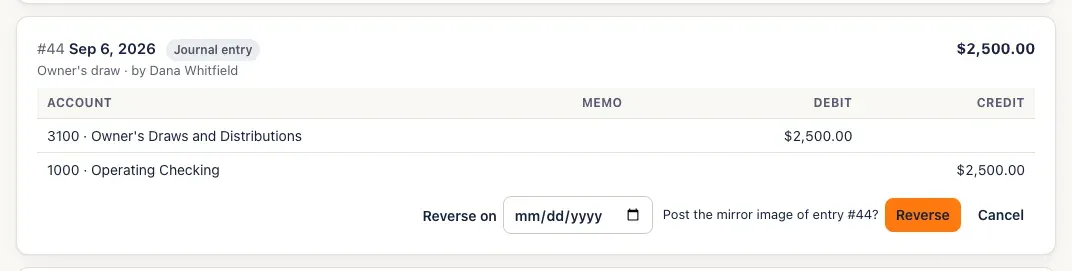
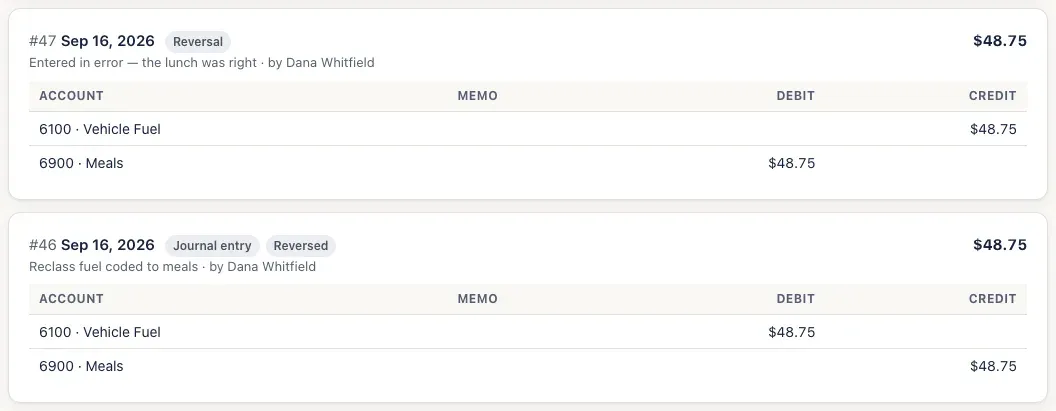
The original is marked Reversed, and the reversal appears at the top of the journal.
You’ll know it worked when…
Section titled “You’ll know it worked when…”The entry appears at the top of the journal with its number, and its accounts’ balances change in the chart of accounts and reports.
Notes & limits
Section titled “Notes & limits”- Journal entries are never edited or deleted. To fix one, reverse it and post the right one.
- Entries made by invoices, bills, payments and expenses can’t be reversed here — change or void the document instead.
- A reversal can’t be dated before the entry it reverses, and an entry can be reversed only once.
- Adjusting entries can post into a closed month but not a locked one. Only owners and admins can post — or reverse — an adjusting entry.
- Bookkeepers can’t debit Accounts Payable in a manual entry — that’s paying a vendor, which is for owners and admins.
- A date in a closed month is refused for a standard entry — (Month) is closed — reopen it first… See Close the books.
- To move payments from Undeposited Funds into the bank: debit the bank account, credit Undeposited Funds.