First-time setup
Who it’s for: Owners and admins Where: Books, Chart of accounts, Journal and Team Before you start: Sturdy Bid has created your company, and you’ve signed in with Sturdy ID as its owner.
When Sturdy Bid sets up your company, SturdyBooks creates your books straight away, with a chart of accounts built for trades contractors. There’s no setup wizard: check a few things, bring your team in, and start working.
-
Sign in and open Books. If it shows your four tiles (cash, what customers owe, what you owe, profit this month), your books are ready. If it says Your books are being set up, contact support — your chart of accounts is normally created with the company.
-
Open Chart of accounts and look through it. It already has what a trades business needs: bank and cash accounts, accounts receivable, undeposited funds, inventory, vehicles and equipment, accounts payable, a business credit card, sales tax payable, owner’s equity and draws; HVAC, plumbing, electrical, maintenance-plan and installation revenue; materials, direct labor and subcontractors; and everyday expenses like fuel, vehicle repairs, insurance, rent, software, tools and meals.
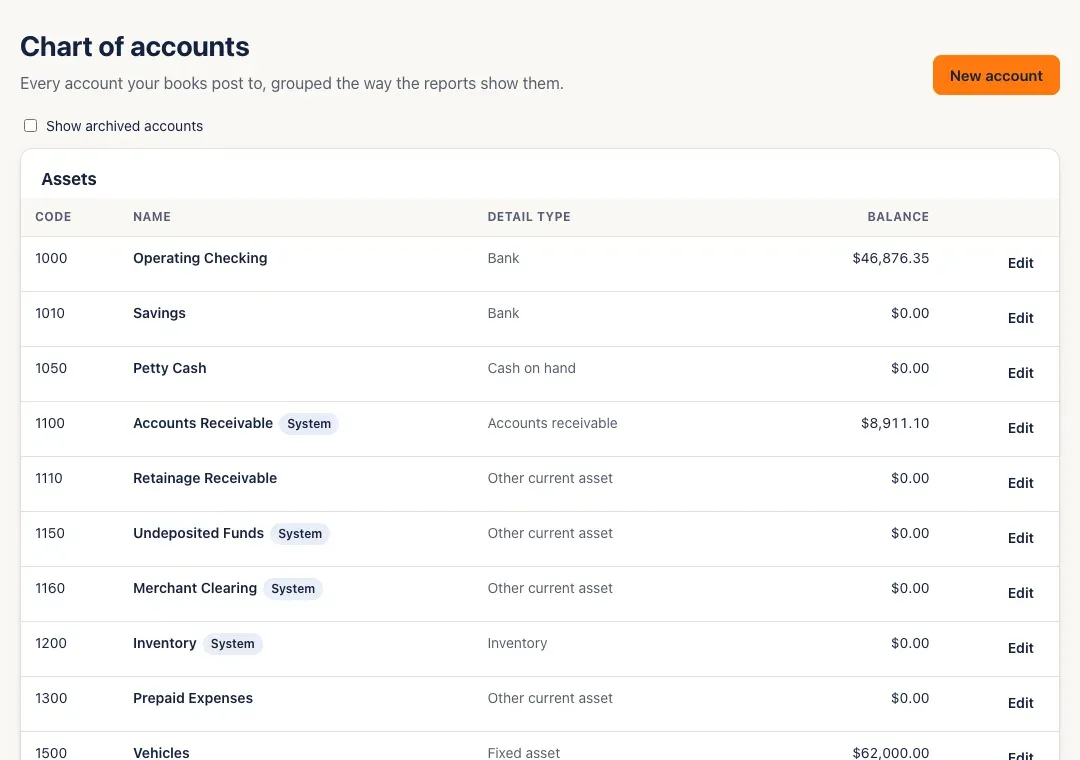
Rename, add or archive accounts to match how you work — see Chart of accounts.
-
Bring in your starting balances. If you’re moving from other books, post one journal entry dated the day before you start in SturdyBooks: debit your bank and other asset accounts with their starting balances, credit your loans and other liabilities with theirs, and put the difference on Opening Balance Equity. Your accountant can give you the numbers. Enter customers’ unpaid invoices and your unpaid bills as invoices and bills, so they show up in the aging reports and can be paid.
-
Check your fiscal year. Reports use it for Year to date and Last year, and new companies start their year in January. There’s no fiscal-year setting on screen yet: if your year starts in another month, contact support before you close your first month — once any month is closed, the fiscal year can’t change until every month is reopened.
-
Invite your team: Team → Invite someone. See Invite your team & set roles.
-
Set up categorization rules for the vendors you always file the same way, and find out whether AI suggestions are on for your company. See AI suggestions & rules.
You’ll know it worked when…
Section titled “You’ll know it worked when…”Chart of accounts lists your accounts, and Books shows your numbers. Once your team has accepted their invites, they show as Active on Team.
Notes & limits
Section titled “Notes & limits”- Accounts marked System are the ones invoices, bills and payments post to automatically (Accounts Receivable, Accounts Payable, Undeposited Funds, Sales Tax Payable and a few others). You can rename them, but not delete, archive or change their type.
- SturdyBooks keeps your books in US dollars.
- New customers and vendors get 30-day payment terms unless you set other terms on the contact.
- A month shows up in Close the books as soon as anything is posted in it.